
Ready-made 5S templates – download and get started
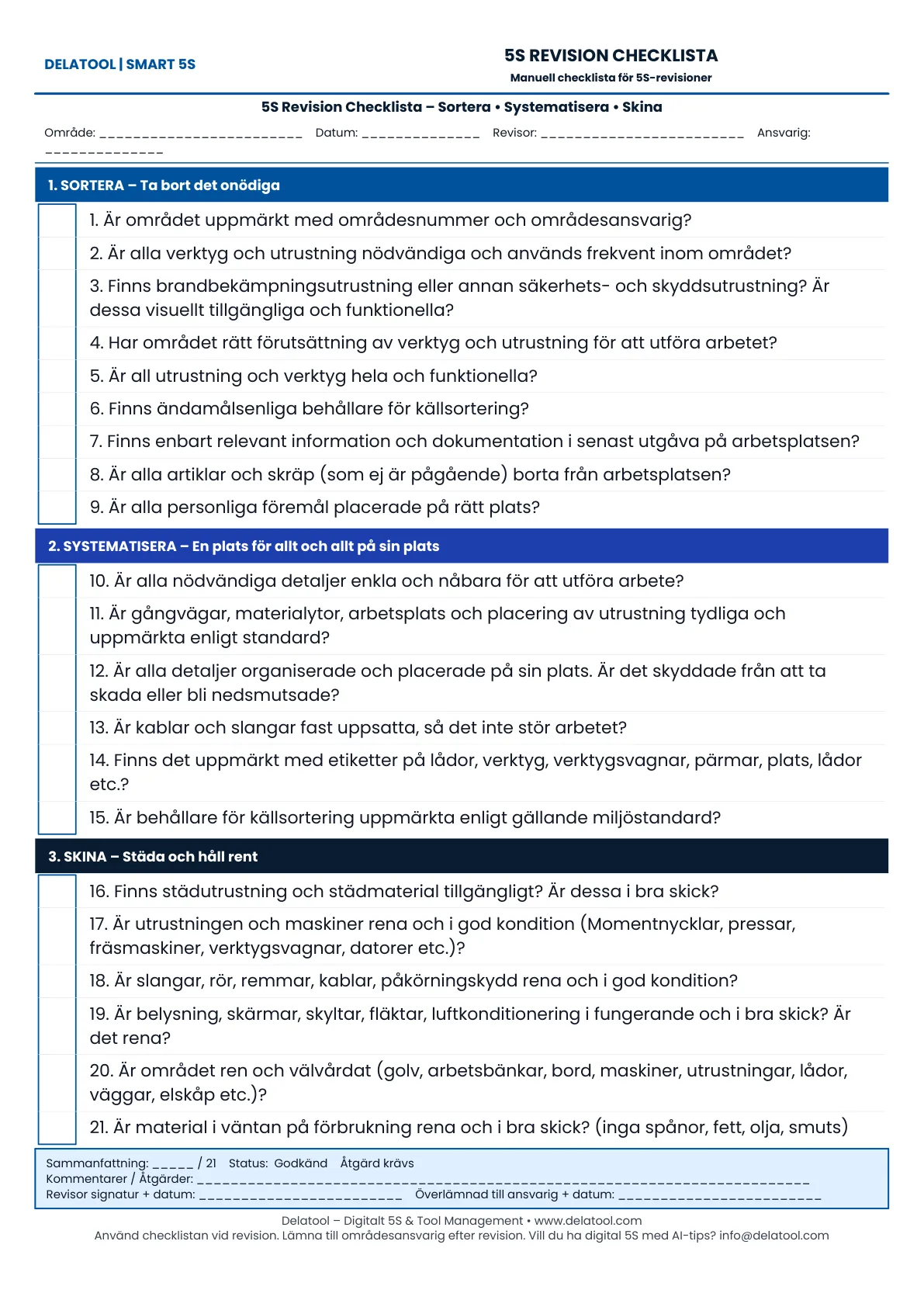
5S audit checklist – for recurring reviews
Our most popular template. Use it to score each area during 5S audits – print it, walk the floor and follow up on deviations.
Download audit checklistFree PDF · free account · 30 days to try
Implementing 5S is much faster when you start from a proven template. Delatool's library of ready-made 5S templates covers the most common use cases in workshops, construction and manufacturing – from a workbench standard to service van, warehouse and tool-storage layouts.
Each template follows the 5S methodology (Sort, Set in order, Shine, Standardise, Sustain). Print the PDF for the workshop wall, or digitise the entire programme inside Delatool with measurable audit follow-up.
Area 5S templates (PDF)
Each area template is structured in phases: Sort, Set in order, Shine, plus short Standardise and Sustain sections – ready to print and tick off on the shop floor.
5S workbench
Shadow boards, designated tool spots and consumables.
Download PDF5S service van
Tool placement, replenishment levels, end-of-day routine.
Download PDF5S warehouse
Rack labelling, picking zones, abnormality reporting.
Download PDF5S drilling station
Wear parts, calibration intervals, daily checks.
Download PDF5S tool storage
QR labelling, check-in/out, service triggers.
Download PDF5S office
Desk standard, document flow, 5-minute tidy-up.
Download PDF
How to start with a 5S template
- Pick the template that matches your area (workshop, van, warehouse, etc.).
- Adapt it to local needs – tool list, photos, intervals.
- Roll out 5S training to the team – included with Delatool.
- Schedule recurring 5S audits and follow trends in the dashboard.
- Iterate – standardise what works, retire what doesn't.
Why start 5S with Delatool?
- SMART 5S methodology – measurable 5S with automatic level upgrades.
- 5S Area Manager – ownership and follow-up per zone.
- 5S training & kick-off – included in all packages.
- QR area signs – status visible on the shop floor.
- Free for 30 days – no lock-in.
From 5S template to digital 5S system
Templates work, but they only become living standards when teams actually use them. Delatool's digital 5S system turns each template into an interactive checklist with photos, scoring and trend reports per area – so you see whether your 5S programme is improving or drifting back to chaos.
Want to go deeper? Read 5S methodology step by step, explore 5S in 3 months or compare Smart 5S vs traditional 5S.
Frequently asked questions
Are the 5S templates free to download?
Yes – they are completely free. Create a free Delatool account to download, print and adapt them for your workshop or site. The first 30 days are free.
Can I use the templates without Delatool?
Absolutely. The PDFs work as standalone paper checklists. Delatool adds digital audits, trend reports and QR area signs when you are ready to digitise.
Which template should we start with?
Start with the 5S audit checklist for your first review round. For daily improvements, pick the area that causes the most friction – often workbench, service van or tool storage.
How do I turn a PDF template into a digital 5S app?
Start a free 30-day trial of Delatool, create an area in Area Manager and build your standard from the same checklist items. SMART 5S tracks levels automatically.
